Why a Kubota Manual May Not Match Your Machine: What to Check Before Buying
Why a Kubota Manual May Not Match Your Machine: What to Check Before Buying
You have found a PDF with your Kubota model in the title. The cover shows familiar equipment, and the description promises repair and maintenance information. But one question still matters before you buy: does it cover your particular machine and the work you need to do?
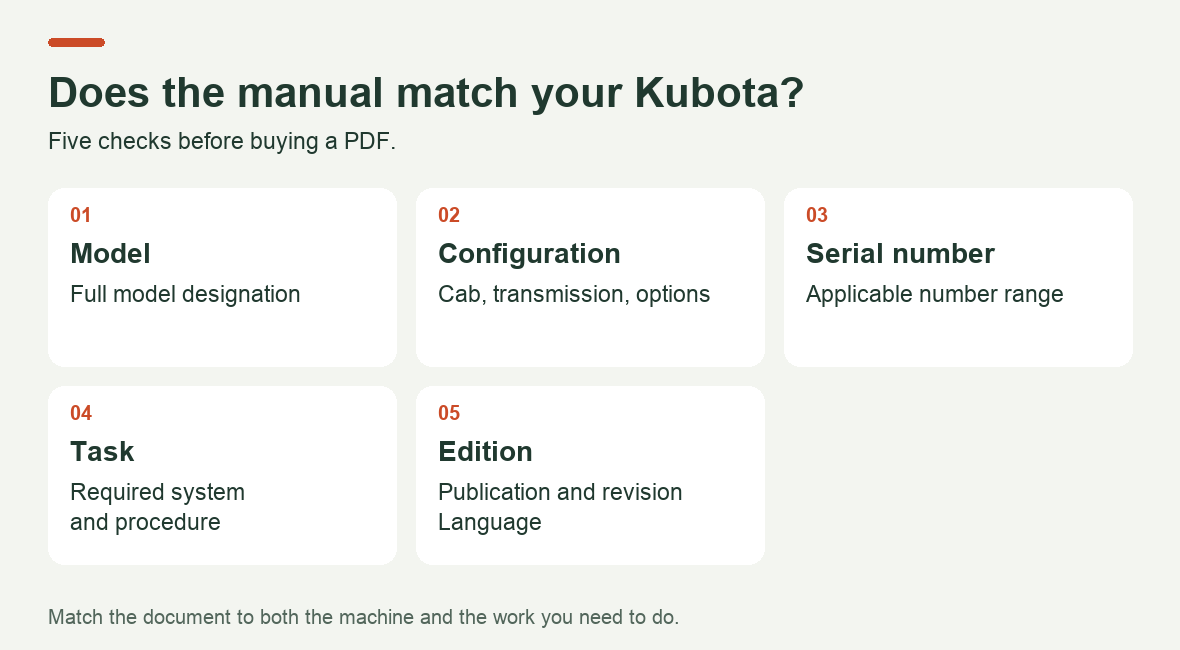
A matching model name is the starting point. You also need to check the configuration, serial number and document contents. A manual may cover several machines while an individual procedure applies to only some of them. Here is how to check, with specific examples.
1. Record the full machine identification
Start by photographing the identification plate and serial number. Keep every letter and digit, rather than relying on the large model name on the hood. Record the engine and attachment details separately if you need documentation for those components.
Do not expect every serial number to be in the same place. Kubota’s US FAQ lists different locations by series. For BX tractors, it points to the frame rail above the right front wheel; for Grand L tractors, it lists the left side of the front axle or the right side of the transmission case. Use this as a starting point for the relevant series, then consult your machine’s manual. Source: Kubota USA identification FAQs.
The engine has its own model designation. Kubota explains that its elements can identify cylinder count, injection type, turbocharging and model variation. The manufacturer also notes that the full designation in the format shown on its identification page is found in the illustrated parts list, rather than printed or stamped on the engine. If a suffix is missing from your records, confirm it through the documentation or a dealer instead of guessing. Source: Kubota Engine model identification.
Before searching: keep the identification photographs together and record the machine model, machine serial number, engine model and relevant attachments. Keep the purchase year as additional information.
2. Check which configuration the procedure covers
Similar model names do not mean identical systems. Kubota’s official US B2650/B3350 brochure states that the B2650 is not equipped with a diesel particulate filter (DPF), while the B3350 is. If you are using documentation that covers both models, you therefore cannot automatically apply a DPF section to the B2650. Source: official Kubota B2650/B3350 brochure.
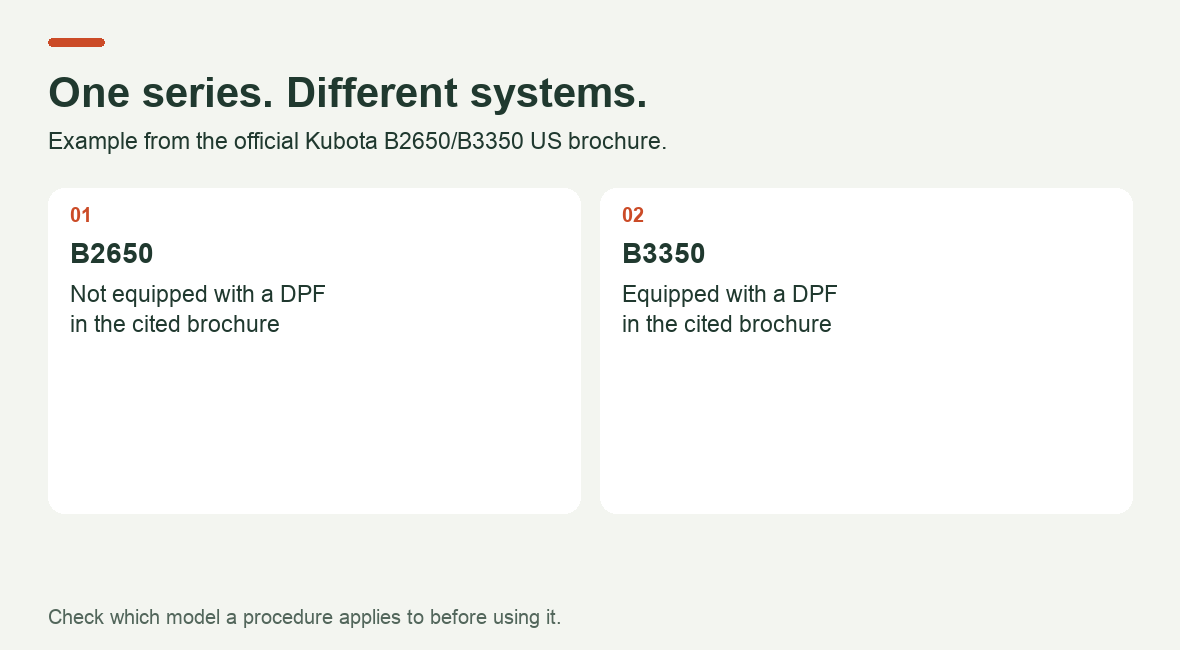
Illustration based on Kubota’s US brochure. It compares equipment configurations and does not describe filter servicing.
Differences also exist within a single model. Kubota lists high-flow hydraulics as an option for the SVL75-3. An owner looking for auxiliary hydraulic information should therefore confirm whether the machine has that option and whether the relevant section applies. Finding the words “high-flow” in a manual does not establish that an individual loader has the system. Source: official Kubota SVL75-3 brochure.
Look for: applicability tables, configuration lists and notes such as “only,” “except” and “optional.” Pay particular attention to these notes beside the diagram or procedure you are buying the manual to use.
3. Match the serial number and read the applicability notes
Kubota warns that parts applications may depend on the unit’s serial number and states that these restrictions appear in its Illustrated Parts List. It recommends having the exact model designation and serial number available when ordering parts. Source: Kubota Illustrated Parts List terms.
For a manual buyer, the practical lesson is to check the notes for the relevant component as well as the cover. Your model’s inclusion in a general list does not remove restrictions attached to individual tables or procedures.
Here is something you can spot before purchasing: the contents published on Byte-Market for the SVL75-3 Workshop Manual, document RY911-31065, list two maintenance interval tables—one for serial numbers up to and including 30321, and another from 30322 onward. This information comes from the seller’s listing and illustrates what to look for in a contents preview. The headings alone do not show which intervals changed; consult the applicable table in the manual before carrying out maintenance. Source: Byte-Market SVL75-3 listing.
If the description does not state a serial number range, do not treat that omission as confirmation that the document applies universally. Ask for the page defining its coverage and the notes for the section you need. Also establish whether the number refers to the machine, engine or another assembly.
4. Choose the document for the job
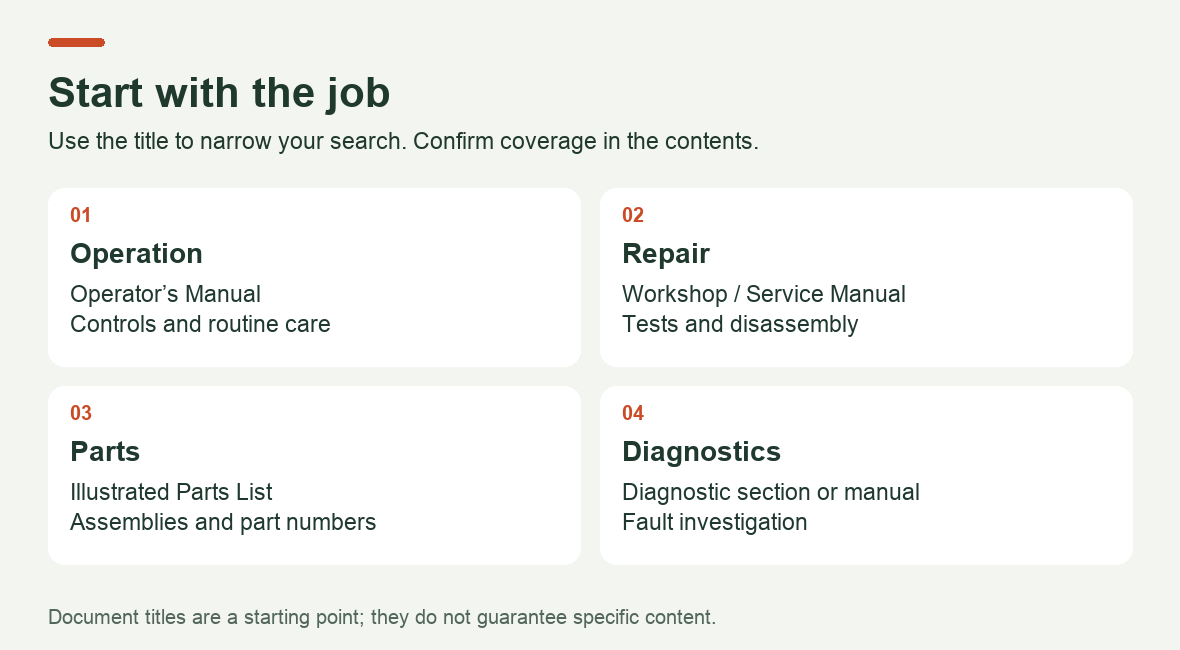
The word “manual” does not explain everything a PDF contains. Use the task to narrow your search, then make the final decision from the contents and sample pages.
| Your task | Where to start | What to confirm inside |
|---|---|---|
| Understand the controls and routine maintenance | Operator’s Manual | Operating instructions, limitations and maintenance tables |
| Find a disassembly, inspection or adjustment procedure | Workshop / Service Manual | The relevant component procedure, measurement conditions and specifications |
| Identify a part and its position in an assembly | Illustrated Parts List / Parts Catalog | The assembly diagram, part number and applicability restrictions |
| Investigate a fault code | A diagnostic section or separate Diagnostic Manual | The specific code, test sequence and equipment requirements |
These are search guidelines, not guarantees about every document with a particular title. Kubota, for example, provides separate routes to operator’s manuals and illustrated parts lists in its support section. Source: Kubota Parts & Service.
For a repair shop, a precise request helps: “I need the pressure test for this circuit” or “I need the connector diagram for this sensor.” Find the corresponding contents entry and request a sample. A high page count alone does not tell you whether the required procedure is included.
5. Check the edition, intended market and file quality
Compare the publication number, revision, language and covered models. If the seller offers a supplement, establish which base manual you need alongside it.
Check the intended market too. The B2650/B3350 brochure used above is intended for the United States and US territories. It provides a useful example of equipment differences, but it does not replace checking the configuration of a machine imported from another region. Source: market information in Kubota’s brochure.
To assess a digital copy, request the contents, applicability page and a page with a detailed diagram as well as the cover. Check that wire labels, connector pin numbers and footnotes are readable. If you need text search, test it in a sample file: a page image does not guarantee searchable text.
A message you can copy and send to the seller:
I need a manual for a Kubota [full model designation], machine serial number [number], configuration [cab, transmission, options]. The job is [specific task]. Please confirm that this document covers the machine and includes the required procedure. Please provide the publication number and revision, contents, applicability page and a sample of the relevant section. Is this a standalone manual or a supplement?
For a broader checklist covering document types, serial-number compatibility and PDF completeness, see our guide on Medium: How to Choose the Right Equipment Repair Manual Before You Buy.
Where to look next
For an operator’s manual or parts catalog, start with Kubota’s official support resources. If you need repair documentation, browse our Kubota manuals catalog to find your model and review the document description, publication number and available contents. Compare them with your machine details and the job you need to complete. If applicability is still unclear, send the seller the request above.
Before buying, you should be able to answer three questions: does the document cover your machine, does it contain the procedure you need, and can you read that information clearly in the supplied file?
Recent Post
-
Why a Kubota Manual May N...
16 Sep, 2026
-
Kubota Tractor Won’t Star...
16 Sep, 2026
-
Kubota DPF Light Flashing...
18 Sep, 2026
-
Kubota Tractor Overheatin...
21 Sep, 2026
-
Kubota Hydraulic Couplers...
22 Sep, 2026
-

Kubota UDT vs Super UDT2:...
23 Sep, 2026
-

Kubota 3-Point Hitch Won'...
24 Sep, 2026
-
Kubota Excavator Track Te...
25 Sep, 2026
-
New Holland540 vs 540E PT...
28 Sep, 2026
-
Kubota BX Mower Cutting U...
29 Sep, 2026
-
Kubota Excavator Controls...
30 Sep, 2026
-
New Holland DEF Storage:...
01 Oct, 2026
-
Kubota Air Filter: When t...
02 Oct, 2026
-
Kubota SVL Standard vs Hi...
06 Oct, 2026
-
New Holland Water in Fuel...
07 Oct, 2026
-
Kubota Loader Float: What...
08 Oct, 2026
-
Kubota HST Tractor Won't...
09 Oct, 2026
-
Kubota 50-Hour Service Ch...
12 Oct, 2026
-
Kubota 4WD Won't Disengag...
13 Oct, 2026
-
Kubota KX040-4 Final Driv...
14 Oct, 2026
-
Kubota PTO Won't Engage?...
15 Oct, 2026
-
How to Check Hydraulic Oi...
16 Oct, 2026
-
Kubota Battery Light Stay...
19 Oct, 2026
-
Kubota Ran Out of Diesel?...
20 Oct, 2026
-
Kubota SVL75-3 Lift Capac...
21 Oct, 2026
-
What Coolant Does a Kubot...
22 Oct, 2026
-
Kubota Engine Oil Level R...
23 Oct, 2026
-
Kubota SVL75-2 DPF Light...
26 Oct, 2026
-
Kubota U55-4 Specs: Weigh...
30 Oct, 2026